
All-in-One POS Terminal vs Tablet POS: Which Is Best for Your Shop in 2026?
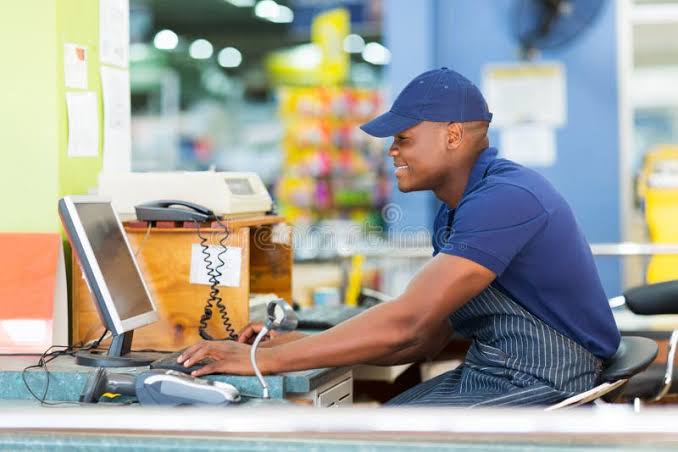
You've made the decision to move your shop to a proper POS system — great. But then the next question hits you like a wall: do I buy an all-in-one POS terminal, or just use a tablet?
Walk into any retail trade show or browse any POS vendor's website and you'll see both options pushed aggressively. The sleek all-in-one machines look professional and powerful. The tablets look familiar and affordable. Both can run modern cloud POS software. Both can print receipts and scan barcodes. So which one actually makes sense for your business?
The honest answer: it depends on what kind of shop you run, how many transactions you process daily, and how much you want to spend. This guide breaks down both options completely — the real pros, the real cons, the hidden costs, and the questions you should be asking before you buy anything.
By the end, you'll know exactly which setup is right for your business — whether you're running a supermarket, pharmacy, mini-mart, or electronics shop.
First, Let's Define What We're Comparing
Before diving into the comparison, it's worth being clear about what each option actually is — because a lot of people confuse "POS terminal" with "any screen that runs POS software."
What Is an All-in-One POS Terminal?
An all-in-one POS terminal is a purpose-built machine designed specifically for retail checkout. It typically combines a touchscreen display, a built-in computer, customer-facing display, card reader, and sometimes a built-in printer — all in a single unit. Brands like Sunmi, Posiflex, Verifone, and Clover are well-known in this space.
What Is a Tablet POS?
A tablet POS is exactly what it sounds like — a consumer-grade tablet (usually an iPad or Android tablet) running cloud-based POS software. The tablet itself is a standard device you can buy from any electronics store. You pair it with external hardware — a receipt printer, barcode scanner, and cash drawer — to build out a full POS station.
The rise of cloud POS software over the past decade has made tablet POS systems extremely popular — especially for small and medium retail businesses that want professional functionality without the price tag of dedicated hardware. According to Grand View Research, the global cloud POS market is growing rapidly, driven largely by tablet and mobile device adoption.
All-in-One POS Terminal: The Full Picture
All-in-one terminals project professionalism the moment a customer walks up to your counter. There's something about a purpose-built machine that signals to shoppers: this business is serious. But does it actually perform better than a tablet? Let's look at both sides.
✅ What All-in-One Terminals Do Well
- Built for all-day use. These machines are engineered for continuous operation — 10, 12, 14 hours a day without overheating or slowing down. Consumer tablets aren't always designed with this kind of workload in mind.
- Everything in one unit. No cable mess. No juggling a separate tablet stand, scanner dock, and printer on a crowded checkout counter. The all-in-one keeps things clean and organised.
- Customer-facing display. Many all-in-one terminals include a second screen facing the customer, showing the transaction total in real time. This builds trust and reduces disputes.
- More durable hardware. Purpose-built terminals tend to have better build quality for retail environments — dust resistance, reinforced connectors, and components that hold up to constant use.
- Professional appearance. If you're running a pharmacy, electronics shop, or upscale supermarket, the visual impression of your checkout counter matters to customers.
❌ The Downsides
- Higher upfront cost. A decent all-in-one POS terminal can cost between ₦150,000 and ₦500,000 or more depending on the brand and features. This is a significant investment for small businesses.
- Harder to replace. If it breaks, repairs can be expensive and slow. You can't just swap it out with another device the same day.
- Less portable. It stays on the counter. If you run markets, pop-ups, or mobile sales, this is a problem.
- Sometimes locked to one software vendor. Some proprietary terminals only work with specific POS software — which limits your options and can trap you with a vendor you're unhappy with.
Tablet POS: The Full Picture
Tablet POS has changed the game for independent retailers. The ability to use a device you already understand — set up with a cloud app, connected to a printer and scanner — has made serious retail technology accessible to shops of every size.
✅ What Tablet POS Does Well
- Much more affordable. A solid Android tablet for POS use can cost between ₦30,000 and ₦80,000. That's a fraction of a dedicated terminal, and you can buy two or three for the price of one all-in-one machine.
- Easy to replace. If your tablet screen cracks or the battery dies, you can have a new one set up and running the same day. Just log in to your cloud POS and you're back in business.
- Works with any compatible software. Tablets aren't locked to one vendor. Switch to a better POS system tomorrow and the same tablet works fine.
- Portable and flexible. Take it to a trade fair, pop-up market, or customer's location. The POS goes where you go.
- Familiar and easy to train staff on. Your cashiers already know how to use a tablet. Training time is minimal.
❌ The Downsides
- Not designed for heavy commercial use. Consumer tablets can overheat or slow down under 12+ hours of continuous POS operation, especially if they're running older software.
- More cables and components. You're managing a separate printer, scanner, and cash drawer as individual pieces. Cable management on a checkout counter can get messy.
- No built-in customer display. Unless you buy a separate customer-facing screen, customers have to trust your cashier's word on the total — which can cause friction.
- Temptation for misuse. Tablets are general-purpose devices. Without the right controls in place, staff may use them for social media or personal browsing during their shift.
Side-by-Side Comparison
| Feature | All-in-One Terminal | Tablet POS |
|---|---|---|
| Upfront Cost | ₦150K – ₦500K+ | ₦30K – ₦80K (tablet only) |
| Durability | ⭐⭐⭐⭐⭐ Excellent | ⭐⭐⭐ Good (varies by brand) |
| Portability | ❌ Fixed to counter | ✅ Fully mobile |
| Customer Display | ✅ Often built-in | ⚙️ Requires extra screen |
| Ease of Replacement | ❌ Slow and expensive | ✅ Fast and cheap |
| Software Flexibility | ⚠️ Sometimes vendor-locked | ✅ Use any compatible app |
| Professional Look | ⭐⭐⭐⭐⭐ Excellent | ⭐⭐⭐⭐ Very good (with stand) |
| Setup Complexity | ⭐⭐⭐ Moderate | ⭐⭐⭐⭐⭐ Very simple |
| Best For | High-volume, permanent setups | Small to medium shops, startups |
Which One Is Right for Your Shop? (By Business Type)
The best choice isn't the same for every business. Here's a practical breakdown by shop type:
🛒 Supermarkets and Large Grocery Stores
Go with an all-in-one terminal for your primary checkout lanes. The durability, customer display, and professional appearance justify the cost when you're processing hundreds of transactions a day. You can complement this with a tablet at secondary counters or for your manager's oversight dashboard.
If you're managing multiple checkout points and want central oversight of sales and inventory, read our breakdown of how poor inventory management silently costs supermarkets — the POS hardware you choose plays directly into how well your stock stays accurate.
💊 Pharmacies
Pharmacies benefit enormously from barcode scanning (most medications have standard barcodes) and customer-facing totals. An all-in-one terminal makes sense for the main dispensing counter. A tablet with a scanner is perfectly adequate for secondary counters or consultation areas.
🛍️ Mini-Marts, Convenience Stores, and Small Retail Shops
A tablet POS setup is almost always the better starting point here. You get full POS functionality for a fraction of the cost, and you can upgrade later as your business grows. The flexibility also means you're not locked in if you want to change software or hardware down the line.
📱 Electronics and Mobile Accessories Shops
Either works. Tablet POS is often the more practical choice because these shops tend to have fewer transactions per hour but need the ability to look up product details, check stock, and pull up customer purchase history easily. A tablet setup encourages this kind of flexibility at the counter.
🏪 Multi-Branch Retail Businesses
If you're managing multiple locations, hardware consistency matters less than software capability. What you need is a cloud POS system that lets you see all branches from a single dashboard, track inventory transfers, and monitor staff performance across locations — regardless of whether each branch uses a terminal or a tablet. SwiftPOS is built with exactly this in mind.
Here's the Truth: The Software Matters More Than the Hardware
Whether you pick a terminal or a tablet, the quality of your POS software will determine whether your business actually runs better. The hardware is just the vehicle. The software is the engine.
Ask yourself these questions about your POS software, regardless of which hardware you choose:
- Does it track inventory in real time as sales are made?
- Can you see low stock alerts before you run out?
- Does it log every transaction so you can review discrepancies?
- Can you manage staff permissions so cashiers only see what they need to see?
- Does it generate proper P&L reports at the end of the month?
- Can it handle customer credit accounts if you extend credit to loyal buyers?
- Does it work offline during power or internet outages?
These are the features that separate a proper retail management system from a basic billing app. A shiny all-in-one terminal running weak software is far less useful than a tablet running a powerful cloud POS.
This is exactly what we explored in the guide to POS software in Nigeria — the best retailers aren't winning because of their hardware. They're winning because their software gives them information that helps them make smarter decisions every day.

SwiftPOS dashboard — the kind of business visibility that works on any device, terminal or tablet
The Hidden Costs Nobody Talks About
When comparing all-in-one terminals vs tablet POS, most people focus on the upfront device cost. But the total cost of ownership goes further than that. Here are the costs people often miss:
Software subscription fees
Both hardware types require POS software, and good software has a monthly cost. This is completely normal and worth it — a well-run POS system pays for itself in reduced losses and better decision-making. With SwiftPOS, plans start from ₦3,000/month — affordable for any retail business, regardless of hardware choice.
Peripheral hardware
Whether you use a terminal or a tablet, you'll still need a thermal receipt printer (₦25,000–₦60,000), a barcode scanner (₦8,000–₦30,000), and a cash drawer (₦10,000–₦25,000). These costs apply to both setups. See the full breakdown in our cloud POS hardware checklist.
Repair and downtime costs
If your all-in-one terminal breaks, sourcing parts and getting it repaired in Nigeria can take days or weeks. Every day your checkout is down is lost revenue. A broken tablet? Buy a replacement for under ₦50,000 and be back up the same afternoon.
Training costs
All-in-one terminals often require more staff training, especially if they use proprietary interfaces. Tablets are far more intuitive — most cashiers can be operational within an hour.
Building the Right Setup: A Practical Guide
Here's a simple framework for choosing your setup based on business size and daily transaction volume:
🟢 Under 100 transactions/day (Small shop)
Start with a tablet POS. It's affordable, flexible, and more than capable for your volume. Invest the savings in a good receipt printer and barcode scanner.
🟡 100–500 transactions/day (Medium retail)
Consider 2–3 tablet POS stations at checkout, with a manager dashboard on a separate device. Or use one all-in-one at the primary checkout lane and tablets elsewhere.
🔴 500+ transactions/day (High-volume supermarket)
All-in-one terminals at each dedicated checkout lane. Tablets for stock counting, manager oversight, and secondary counters. Prioritise your software's ability to handle volume and multi-staff reporting.
Why SwiftPOS Works on Both — and Why That Matters
One of the most practical advantages of a cloud-based POS like SwiftPOS is that it doesn't care which device you use. The software runs on tablets, laptops, desktops, and all-in-one terminals. Your business data, inventory, and reports are all stored in the cloud — accessible from anywhere.
This means you can start with a ₦40,000 tablet today and upgrade to an all-in-one terminal next year without changing a single thing about your software, data, or processes. Your inventory history, customer records, and transaction logs all carry over seamlessly.
SwiftPOS gives you:
- A visual grid POS interface for fast click-to-sell checkout
- A dedicated barcode scanner mode for scan-and-go processing
- Real-time inventory tracking with low stock alerts
- Staff management with individual login permissions
- Audit logs and suspicious activity detection to prevent theft
- Customer credit tracking for loyal buyers
- P&L reports and exportable data for your accountant
- Multi-branch support to manage all locations from one account
- Offline mode — keeps working during internet outages
You can read a full walkthrough of how the system works in the complete SwiftPOS guide. And if you're comparing options before deciding, the 7 best POS systems for small businesses in Nigeria is worth reading too.
Plans start at just ₦3,000/month for small shops and scale up to ₦12,000/month for large multi-branch operations. Subscribe annually and get 1 month completely free.
Frequently Asked Questions
Can I use an iPad as a POS terminal in Nigeria?
Yes. An iPad paired with a Bluetooth thermal printer, barcode scanner, and a cloud POS app makes a very capable checkout system. It's widely used by retail shops across Nigeria. Just make sure your chosen POS software is compatible with iOS.
Are all-in-one POS terminals available to buy in Nigeria?
Yes, though availability varies. Brands like Sunmi and generic Chinese-manufactured all-in-one terminals are available through IT hardware distributors in Lagos, Abuja, and Port Harcourt. Prices range from ₦150,000 to over ₦400,000 depending on specifications.
Which is better for a pharmacy: terminal or tablet?
Either works well for pharmacies. A tablet with a barcode scanner is the most common setup because it's affordable and handles medication barcode scanning perfectly. If your pharmacy has high foot traffic, an all-in-one at the main dispensing counter adds durability and a customer-facing display.
Does SwiftPOS work on both terminals and tablets?
Yes. SwiftPOS is cloud-based and runs on any modern device — Android tablets, iPads, laptops, desktops, and compatible all-in-one terminals. You're not locked to any specific hardware.
What happens to my POS if the internet goes down?
If your POS software has offline mode (as SwiftPOS does), your system keeps processing sales and recording data locally. Everything syncs to the cloud automatically once your connection is restored. This is essential in Nigeria where power and internet outages are a real operational concern. Read more about how cloud POS handles this in the cloud POS vs traditional cash registers guide.
The Verdict
If you're a small to medium retail business — a mini-mart, convenience store, small pharmacy, or independent shop — start with a tablet POS. It's affordable, flexible, easy to set up, and backed by powerful cloud software. You'll have everything you need to run your business properly without overcommitting to expensive hardware.
If you're running a high-volume supermarket, multi-cashier setup, or a business where professional appearance at checkout is critical — invest in all-in-one terminals for your primary lanes, and use tablets for secondary positions and management oversight.
In both cases, the software you choose is what truly determines whether your business runs smarter. Pick hardware that fits your budget and operations — then pair it with POS software that gives you real control over your sales, stock, and staff.
Ready to Run Your Shop Smarter?
SwiftPOS is a cloud-based POS and retail management system that works on any device — tablet, laptop, desktop, or all-in-one terminal. It gives you real-time sales tracking, inventory management, staff controls, customer credit, and full business reporting in one clean system.
Plans start from ₦3,000/month. Subscribe annually and get 1 month completely free.
