
What Hardware Do You Need for a Cloud POS System? (Complete 2026 Checklist)
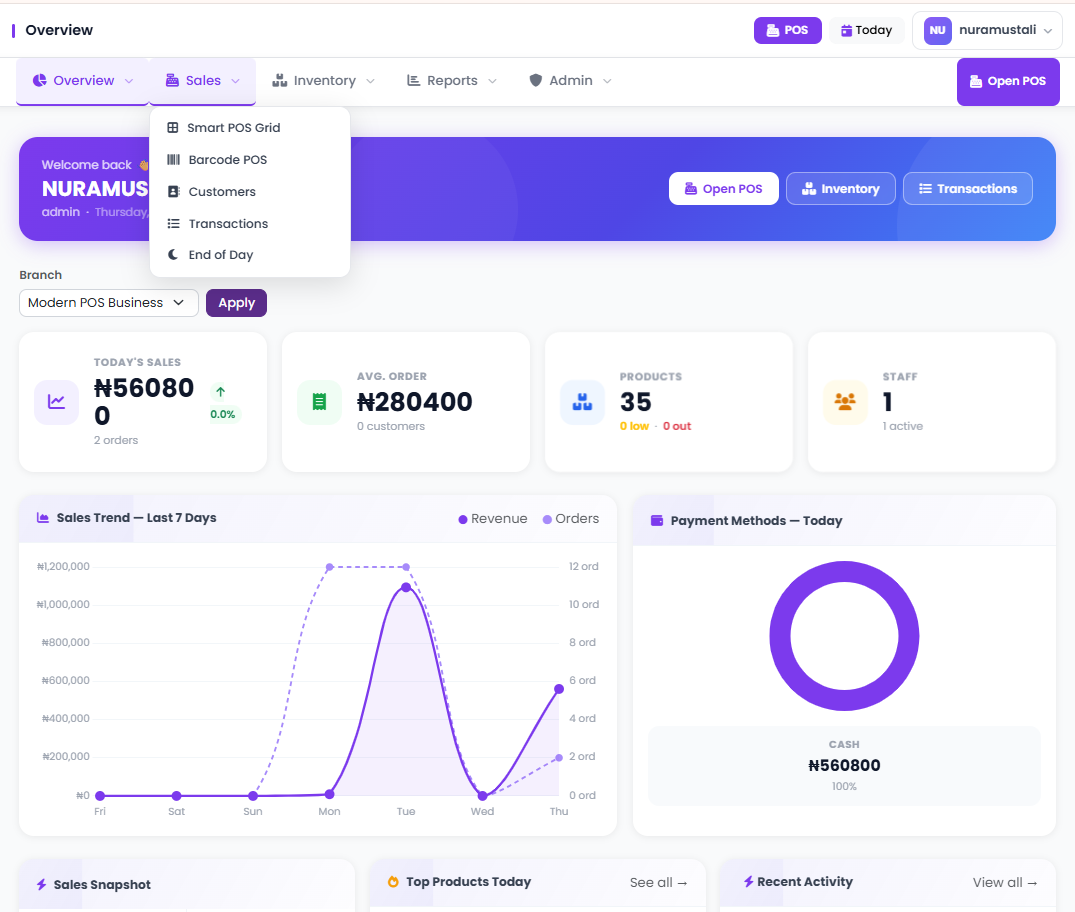
So you've decided to move your business to a cloud-based POS system — smart move. But then comes the question almost every shop owner asks next: "What equipment do I actually need to get started?"
It's a fair question, and the honest answer is: less than you think. Cloud POS systems have dramatically simplified the hardware requirements compared to traditional systems. You don't need bulky servers, expensive proprietary terminals, or a dedicated IT team. But you do need the right devices — and choosing wrong can slow down your checkout, frustrate your staff, and cost you more money fixing things later.
This guide breaks down every piece of hardware you might need, what's essential versus optional, what to look for when buying, and how to avoid the most common mistakes retailers make when setting up a cloud POS. Whether you're running a supermarket, pharmacy, mini-mart, or electronics shop, this checklist applies to you.
What Makes Cloud POS Hardware Different?
Traditional POS systems were software installed on a specific machine. If that machine broke down, your business stopped. Cloud POS systems, by contrast, run through a browser or app — which means the software isn't tied to one specific device.
This changes the hardware game completely. Instead of buying expensive proprietary terminals locked to one vendor, you can use almost any modern device — a tablet, a laptop, a touchscreen desktop, or even a smartphone in some cases. You also don't need an on-site server because your data is stored and processed in the cloud.
But — and this is important — cloud-based doesn't mean hardware doesn't matter. The right hardware makes your POS fast, reliable, and professional. The wrong hardware makes it a daily headache.
"Cloud POS lets you use familiar devices — but choosing the right ones for your business type still makes all the difference."
The Core Hardware Checklist for a Cloud POS Setup
Below is the complete list of hardware you may need, divided by what's essential and what's situational based on your business type.
1. 💻 The POS Device (Your Main Terminal)
This is the screen your cashier uses to ring up sales. With a cloud POS, you have multiple options:
- Tablet (Android or iPad): Most popular choice for small to mid-size retail shops. Lightweight, affordable, easy to mount on a stand.
- Touchscreen all-in-one desktop: Better for high-volume supermarkets or pharmacies where speed matters. More durable for all-day use.
- Laptop or desktop with a keyboard: Works fine, especially if you already own one. Less ideal for pure speed, but fully functional.
- Smartphone: Suitable for very small setups or mobile sellers, but limited for serious retail operations.
What to look for: At least 4GB RAM, a modern processor (from 2019 onwards), and a stable Wi-Fi connection. Screen size of 10 inches or more is strongly recommended for cashiers.
For businesses that want both a visual grid checkout and barcode scanning in one system — like what SwiftPOS offers — a tablet or touchscreen desktop paired with a scanner is the ideal combination.

SwiftPOS grid-style POS terminal — fast visual checkout for retail shops
2. 🖨️ Receipt Printer
Most customers still expect a printed receipt, especially in Nigeria where digital receipts haven't fully taken over. A thermal receipt printer is the industry standard — it's fast, quiet, and doesn't require ink cartridges.
- Connection type: USB, Bluetooth, or Ethernet. Bluetooth works well with tablets. USB is most reliable.
- Paper width: 80mm is standard for most retail setups.
- Speed: Look for at least 200mm/second print speed for busy checkout lines.
- Brand examples: Epson TM-T20, XPrinter XP-58IIH, Star Micronics TSP100III — all widely used with cloud POS systems.
If your POS software supports branded receipts (SwiftPOS includes this on its plans), make sure your printer driver is properly configured so your business name, logo, and receipt details print correctly every time.
3. 📡 Barcode Scanner
If you sell products with barcodes — packaged groceries, beverages, health products, electronics accessories — a barcode scanner is not optional. It eliminates cashier errors, speeds up checkout dramatically, and keeps your inventory accurate automatically.
- Type: 1D scanners for standard barcodes (most retail products). 2D scanners if you also handle QR codes.
- Connectivity: USB wired scanners are most reliable. Wireless Bluetooth scanners offer flexibility but need charging.
- Popular options: Honeywell 1202g, Zebra DS2208, Symcode USB scanner (affordable and widely available in Nigeria).
Cloud POS systems like SwiftPOS have a dedicated barcode POS terminal that pairs directly with a scanner — meaning products are identified, priced, and added to the cart instantly without typing.

SwiftPOS barcode POS terminal — scan and sell in seconds
4. 💰 Cash Drawer
Even if you process digital payments, cash is still king in most Nigerian retail environments. A lockable cash drawer protects your daily float and keeps your till organized.
- Most cash drawers connect directly to the receipt printer via an RJ11 cable and open automatically when a sale is processed.
- Standard sizes: 410mm or 460mm wide, with compartments for notes and coins.
- Make sure your cloud POS software supports cash drawer triggering (many do, including SwiftPOS).
5. 📶 Internet Router / Network Setup
Cloud POS requires an internet connection. This is the one area where you absolutely cannot cut corners. A bad connection leads to slow checkouts, sync failures, and frustrated customers.
- Recommended: A dedicated router for your POS network, separate from customer Wi-Fi.
- Backup option: 4G LTE router or mobile hotspot as a failover for power or ISP outages.
- Speed required: Even a stable 5Mbps connection is enough for most cloud POS operations. Stability matters more than speed.
This is also why offline capability matters. SwiftPOS supports offline order processing — your POS keeps working during brief internet outages and syncs data automatically when you're back online. You can read more about how SwiftPOS handles this in the Cloud POS vs Traditional Cash Registers guide.
6. ⚡ UPS (Uninterruptible Power Supply)
Power cuts are a real issue for Nigerian businesses. A UPS (battery backup) keeps your router and POS device running for 30 to 90 minutes during an outage — enough time to finish transactions and close the day properly.
This is non-negotiable for any shop that processes a high volume of transactions daily. Even a mid-range UPS from brands like APC or Nexsys can protect your business from data loss and customer frustration.
7. 🏷️ Label Printer (Optional but Recommended for Supermarkets)
If you sell loose items or products you repackage yourself, a label printer lets you print custom barcodes or price stickers that work with your POS scanner. This is especially useful for:
- Fresh produce and bulk food items
- Repackaged goods with custom pricing
- Products sourced locally without standard barcodes
Popular label printers include the BIXOLON SLP-DX420 and Zebra ZD220. These print thermal labels that stick cleanly on packaging and scan reliably at checkout.
8. 📷 Webcam or IP Camera (Optional — for Security)
This isn't a POS component in the traditional sense, but it's worth mentioning. Many retail businesses pair their POS system with a security camera pointed at the checkout counter. When combined with audit logs and suspicious activity detection (available in SwiftPOS Pro), you have a complete picture of what's happening at your checkout — digitally and physically.
If you've ever worried about cashier fraud or unrecorded sales, this combination is powerful. Read more about how staff theft silently drains retail shops — it's more common than most owners admit.
Cloud POS Hardware Checklist at a Glance
| Hardware | Essential? | Best For |
|---|---|---|
| POS Device (Tablet/Desktop) | ✅ Yes | All business types |
| Receipt Printer | ✅ Yes | All business types |
| Barcode Scanner | ✅ Highly Recommended | Supermarkets, pharmacies, convenience stores |
| Cash Drawer | ✅ Yes (if handling cash) | All business types |
| Internet Router | ✅ Yes | All business types |
| UPS / Battery Backup | ✅ Strongly Recommended | Nigerian market (power outages) |
| Label Printer | ⚙️ Optional | Supermarkets, fresh goods sellers |
| Security Camera | ⚙️ Optional | Multi-staff shops, high-volume retail |
How Many POS Terminals Do You Need?
This depends on your daily transaction volume. Here's a simple guide:
- Small shop (under 100 transactions/day): 1 terminal is enough.
- Medium supermarket or pharmacy (100–500 transactions/day): 2 to 3 terminals recommended, especially during peak hours.
- Large supermarket or multi-cashier setup: 4 or more terminals with a shared system and manager oversight dashboard.
With a cloud POS, adding a second terminal is easy — you just log in on another device. There's no need to buy new software licenses or re-configure from scratch. This is one of the biggest advantages cloud POS has over traditional setups.
If you're managing multiple locations, a system like SwiftPOS lets you monitor all branches from a single dashboard — including real-time sales, inventory levels, and staff performance across every location. Learn more about how this works in the complete SwiftPOS guide.
Hardware Mistakes to Avoid
Many business owners make these mistakes when setting up POS hardware — and they're costly to fix:
❌ Buying hardware before testing software compatibility
Not all printers and scanners work with all POS software out of the box. Always confirm compatibility with your software provider before purchasing hardware. SwiftPOS has a clear guide on supported devices — reach out on WhatsApp at +2349164601810 to confirm before you buy.
❌ Using very old devices
A tablet from 2013 or a laptop running Windows 7 will struggle with cloud POS apps. This causes slowness, crashes, and a terrible experience at checkout. Stick to devices from 2018 onwards for smooth performance.
❌ No internet backup plan
If your ISP goes down and you have no backup connection (4G hotspot, second SIM router), your cloud POS could temporarily become unusable. Always have a backup plan — and choose a POS that has offline mode as a safety net.
❌ Sharing the POS device with other apps
Don't let staff use the POS tablet for social media, YouTube, or WhatsApp. It slows things down, creates security risks, and distracts cashiers. Keep the POS device dedicated to the POS function only.
What About POS Hardware Bundles?
Some POS providers offer hardware bundles — a package that includes a tablet, printer, scanner, and sometimes a cash drawer, pre-configured to work together. These are a great option if you're setting up for the first time and don't want to source components individually.
The main benefit is guaranteed compatibility. The main downside is cost — bundles can be more expensive than buying separately. Always compare prices before committing.
If you want more guidance on what hardware to buy and where to get it affordably in Nigeria, the POS hardware buying guide for retailers is a great place to start.
How SwiftPOS Fits Into Your Hardware Setup
SwiftPOS is a cloud-based POS and retail management software designed for businesses across Nigeria. It runs on any modern device — tablet, laptop, or desktop — without requiring proprietary hardware.
Here's what SwiftPOS supports on the hardware side:
- Compatible with standard USB and Bluetooth thermal receipt printers
- Barcode scanner integration with a dedicated scanner-mode POS terminal
- Cash drawer triggering via receipt printer connection
- Multi-device access — multiple cashiers, one system
- Offline mode to handle power or internet outages
- Multi-branch support — manage all locations from one dashboard
Plans start from ₦3,000/month for small shops and go up to ₦12,000/month for large multi-branch businesses. And if you subscribe annually, you get 1 month completely free.
You can explore the full plan breakdown on the SwiftPOS pricing page — or compare how SwiftPOS stacks up against other options in the 7 best POS systems for small businesses in Nigeria.
Frequently Asked Questions
Do I need special hardware for a cloud POS?
No. Cloud POS systems work on standard consumer devices — tablets, laptops, and desktops. You don't need proprietary terminals. However, you will need peripheral hardware like a receipt printer, barcode scanner, and cash drawer depending on your business type.
Can I use an Android tablet for my POS?
Yes. Android tablets are among the most popular POS devices for retail shops in Nigeria. They're affordable, easy to use, and work well with Bluetooth printers and scanners. Just make sure the tablet has at least 4GB of RAM and is running Android 10 or later.
What if the internet goes down — does the POS stop working?
With a POS that supports offline mode (like SwiftPOS), your system continues working during internet outages. Sales are recorded locally and synced to the cloud when your connection is restored.
How much does POS hardware cost in Nigeria?
A basic setup — tablet, thermal printer, and scanner — can cost between ₦80,000 and ₦200,000 depending on the brands you choose. Mid-range equipment from brands like Epson, Honeywell, and local distributors strikes the best balance of performance and cost. The hardware buying guide has a full breakdown.
Do I need a server for a cloud POS?
No. That's one of the biggest advantages of cloud-based systems. Your data is stored on secure remote servers managed by your POS provider. There's nothing to install, maintain, or back up on your end.
Ready to Set Up Your POS the Right Way?
SwiftPOS is a cloud-based POS and retail management system built for shops, supermarkets, and pharmacies across Nigeria. It works with standard hardware, runs offline during outages, and gives you full control over sales, inventory, staff, and customers — all in one place.
Plans start from just ₦3,000/month — and you get 1 month free when you subscribe annually.
